Category: Microsoft
What’s Microsoft’s vision for conversational AI? Computers that understand you
Today’s intelligent assistants are full of skills. They can check the weather, traffic and sports scores. They can play music, translate words and send text messages. They can even do math, tell jokes and read stories. But, when it comes to conversations that lead somewhere grander, the wheels fall off.
“You have to poke around for magic combinations of words to get various things to happen, and you find out that a lot of the functions that you expect the thing to do, it actually just can’t handle,” said Dan Roth, corporate vice president and former CEO of Semantic Machines, which Microsoft acquired in May 2018.
For example, he explained, systems today can add a new appointment to your calendar but not engage in a back-and-forth dialogue with you about how to juggle a high-priority meeting request. They are also unable to use contextual information from one skill to assist you in making decisions from another, such as checking the weather before scheduling an afternoon meeting on the patio of a nearby coffee shop.
The next generation of intelligent assistant technologies from Microsoft will be able to do this by leveraging breakthroughs in conversational artificial intelligence and machine learning pioneered by Semantic Machines.
The team unveiled its vision for the next leap in natural language interface technology today at Microsoft Build, an annual conference for developers, in Seattle, and announced plans to incorporate this technology into all of its conversational AI products and tools, including Cortana.
Teaching context and concepts
Natural language interfaces are technologies that aim to allow us to communicate with computers in the same way we talk with each other. When natural language interfaces work as Roth and his team envision, our computers will understand us, converse with us and do what we want them to do, much like most people can understand a complex request that requires a few actions.
“Being able to express ourselves in the way we have evolved to communicate and to be able to tie that into all of these really complicated systems without having to know how they work is the promise and vision of natural language interfaces,” said Roth.

The natural language technology in today’s intelligent assistants such as Cortana leverages machine learning to understand the intent of a user’s command. Once that intent is determined, a handwritten program – a skill – is triggered that follows a predetermined set of actions.
For example, the question, “Who won today’s football match between Liverpool and Barcelona?” prompts a sports skill that follows the rules of a pre-coded script to fill in slots for the type of sport, information requested, date and teams. “Will it rain this weekend?” prompts a weather skill and follows pre-scripted rules to get the weekend forecast.
Since the rules for these exchanges are handwritten, developers must anticipate all the ways the skill could be used and write a script to cover each scenario. The inability of humans to script every possible scenario limits the scope and functionality of skills, explained Roth.
The Semantic Machines technology extends the role of the machine learning beyond intents all the way through to enabling what the system does. Instead of a programmer trying to write a skill that plans for every context, the Semantic Machines system learns the functionality for itself from data.
In other words, the Semantic Machines technology learns how to map people’s words to the computational steps needed to carry out requested tasks.
For example, instead of executing a hand-coded program to get the score of the football match, the Semantic Machines approach starts with people who show the system how to get sports scores across a range of example contexts so that the system can learn to fetch sports scores itself.
What’s more, machine learning methods then enable the system to generalize from contexts it has seen to new contexts, learning to do more things in more ways. If it learns how to get sports scores, for example, it can also get weather forecasts and traffic reports. That’s because the system has learned not just a skill, but the concept of how to gather data from a service and present it back to the user.
That’s missing in today’s intelligent assistants, which are programmed to do a list of isolated things that a programmer anticipated. The machine learning in these systems primarily focuses on words that trigger a skill, explained Microsoft technical fellow Dan Klein, a recognized leader in the field of natural language processing and a professor of computer science at the University of California at Berkeley.
“They aren’t focused on learning how to do new things, or mixing and matching the things they already know in order to support new contexts,” said Klein, who was also a co-founder and chief scientist at Semantic Machines.
Dynamic conversation
Since the Semantic Machines system can learn how to do new things, it can more easily engage in a dynamic conversation with a person, accessing and stitching together relevant content, context and concepts from disparate sources to provide answers, present options and produce results.
The Semantic Machines system also has a memory to keep track of the context in a conversation and so-called full duplex capability to talk and listen at the same time in order to keep the dialogue flowing.
“Everything you say is contextualized by what has come before so you can do more complicated things: you can change your mind, you can explore,” said Klein. “Moreover, once things get contextual enough, the notion of a skill begins to dissolve.”
That’s because the notion of skills confines interactions to silos of data whereas true conversation relies on connecting data from all over the place. The Semantic Machines technology orchestrates gathering data and accomplishing tasks on the backend while maintaining a fluid, natural dialogue with the user on the frontend.
Reshuffling your schedule to accommodate a high-priority meeting, for example, requires calendar data and directory data to determine who is free, when, as well as contextually relevant data such as the weather, nearby coffee shops and traffic to figure out where to meet and sit, and when to leave to get there on time.
“Once you start letting things evolve and connect contextually, the notion of a skill is way too limiting,” said Klein. “Getting things done involves mixing and matching.”
Building with natural language
At Build, Microsoft showcased a calendaring application using Semantic Machines technology that can make organizing your day with an intelligent assistant a more fluid, natural and powerful experience. The same technology can be applied to any conversational experience and will eventually power conversations across all of Microsoft’s products and services.
That will build on Cortana’s existing capabilities such as providing answers to questions, offering previews of your day and helping you across your devices from phone to laptop and smart speaker.
Once the technology is incorporated into Cortana, for example, it could make getting things done in Office more about what you need to do and less about accomplishing tasks in certain applications.
“We want it to be less cognitive load, less feeling like I have to go to PowerPoint for this or Word for that, or Outlook for this and Teams for that, and more about personal preferences and intents,” said Andrew Shuman, Microsoft’s corporate vice president for Cortana.
What’s more, added Roth, the technology will be made available through the Microsoft Bot Framework. His team is currently engineering a way for developers working in the framework today to migrate their existing data to the Semantic Machines-powered conversational engine when it is ready.
“As a developer you can start building these experiences yourself,” he said. “We can collectively move, on the basis of this technology, past this notion of skills and silos and simple handwritten programs into the kind of fluid Star Trek-like natural language interfaces we all want.”
Microsoft Build 2019 – Related links to conversational AI:
- Read about Microsoft’s acquisition of Semantic Machines
- Learn more about Semantic Machines
John Roach writes about Microsoft research and innovation. Follow him on Twitter.
The post What’s Microsoft’s vision for conversational AI? Computers that understand you appeared first on The AI Blog.
How AI is making people’s workday more productive
Writing requires a dash of uniquely human creativity. Artificial intelligence alone cannot do it for us, at least not very well. But AI can – and already is – helping us do things like make sure we spell words correctly and use correct grammar, through the myriad ways it is infused across the suite of Microsoft 365 products. Some of them were even used to craft this story.
As the AI in these products is becoming more sophisticated, they are helping us do more than spot a misspelled word.
That includes new intelligent features in Microsoft Word that help us design our documents for maximum readability, along with other features in Microsoft Search and Microsoft Edge that aim to make everybody’s workday more productive. Microsoft showcased these intelligent features today at Microsoft Build, an annual conference for developers, in Seattle.
“Microsoft AI is all about amplifying human ingenuity with intelligent technologies,” said Malavika Rewari, a senior product marketing manager for Microsoft 365.
Microsoft 365 uses AI to help employees overcome some of the realities of modern work, including increasing time demands, overwhelming amounts of data and growing security threats, she noted.
Gathering knowledge
One modern reality of work is age old: a need for knowledge. The difference is that today’s workers turn to the internet to learn, and more than half start with a search engine.
Beginning on May 28, Microsoft Search will move to general availability, the company announced at Build. The technology brings access to the web and work into a single search experience.
Microsoft Search leverages the AI capabilities of Bing and Microsoft Graph, one of the largest collections of data about how people work ever created, enabling workers to find, command, navigate and discover items across their organization’s network of data.
Microsoft Graph includes data from the public internet as well as data available only to employees within an organization such as directories and policy manuals. What’s more, every employee’s graph is distinctive since it contains data that is available only to their specific team, such as documents, and data from their email and calendar.
“We are able to deliver a cohesive search experience that works across any endpoint in Microsoft 365,” said Bill Baer, a senior product marketing manager on the Microsoft Search team. “Whether you are searching in Bing or searching in the Windows 10 search bar, you’ll get a set of contextually relevant results.”
New intelligence in Microsoft Search includes a machine reading comprehension capability that can extract a paragraph from documents explicitly related to your question. For example, if an employee asks, “Can I bring my dog to work?” Microsoft Search will extract the relevant paragraph from the human resources manual and present it as a search result.
“It understands the question you are asking, and then it can find the answer within millions of words of text and give it to you in context,” said Baer.
Another new intelligent feature allows people within a company to conduct people searches with incomplete information. For example, consider being told, “Talk to Pat on the third floor,” and not knowing who Pat is. A search on “Pat, floor 3” uses intelligence from Microsoft Graph such as your immediate team and location to return the most likely Pat, including an office number and picture.
Working on Microsoft Edge
Microsoft, which recently announced plans to adopt the Chromium open source project in the development of Microsoft Edge on the desktop, also is working on ways to make the Edge browser a more natural extension of the Microsoft Search experience, noted Baer. That means users who are signed in to a Microsoft 365 account will be able to see related results within the Edge browser.
The Microsoft Edge team is also experimenting with a feature called Collections that allows users to compile and organize content as they browse the internet in their open browser window and intelligently share the compiled content via email or export it to Excel or Word.
For example, a person shopping for a new camera could visit several product websites and save each page in the Collections pane on the side of the browser. The underlying machine learning in Collections would intelligently display an image of each model along with relevant metadata such as price, user rating and the website where the data originated.
From there, a user could email the list to a friend, or copy and paste the collection elsewhere, maintaining the clean format of the content. Another option is to export to Excel, where the machine learning automatically populates a table organized with columns for brand, model, price, rating and so on based on the collected metadata.
“You can easily, at a glance, get the value and make your decision more quickly,” said Divya Kumar, group product marketing manager for Microsoft Edge. She added that the team is experimenting with similar functionality for exporting to Word, including the ability to compile a document with information such as images and text collected from several websites, citations included.
Better Word documents
Beginning this fall, people working in Word Online who are in search of inspiration and insights on how to make their document better will be able to receive intelligent suggestions with Ideas – a feature that is already making people more productive in PowerPoint and Excel.
The Ideas in Word feature uses machine learning and intelligence from Microsoft Graph to help users write polished prose, create more professional documents and efficiently navigate documents created by others.
For example, feedback and signals from Microsoft Graph indicate that workers generally ignore tools available in Word to structure their documents, such as section heads, but rather manually make some words bold and bigger to indicate a new section.
“Here’s something where we say, ‘Hey, we understand the structure of your document. We can make it navigable, or we could create a table of contents on your behalf,’” explained Kirk Gregersen, a partner director of program management in Microsoft’s Experiences and Devices group.
Other intelligent suggestions include recommended acronyms based on their usage in Microsoft Graph, calculated average time to read the document, highlight extraction, as well as familiar fixes for spelling and grammatical errors and advice on more concise and inclusive language such as “police officer” instead of “policeman.”
Neural rewrites
A recently available intelligent feature in Word is rewrite suggestions, which brings the power of deep learning to offer suggestions on different ways to write a phrase.
The technology builds on enhancements to the popular synonyms feature in Word that use machine learning to understand the context of the sentence the word appears in to offer alternative word choices that are more relevant.
“You don’t need to search online to find an alternative way to express a phrase,” said Zhang Li, a senior program manager in the Microsoft Office team, explaining that the intelligence service will surface suggestions within the document.
His team used similar technology to improve synonym ranking earlier this year, leading the synonym suggestion acceptance rate to double.
“We want to augment your skills,” said Rewari, the senior product marketing manager for Microsoft 365. “We want to help you communicate more efficiently, effectively and inclusively.”
Top video: The Ideas in Word feature uses machine learning and intelligence from Microsoft Graph to help a user style a table for a professional document.
Microsoft Build 2019 – Related links to Microsoft 365 and AI
- Read: New, people centered experiences in Microsoft 365, the world’s productivity cloud
- Check out Microsoft Search and Microsoft Graph
- Read: Microsoft creates AI that can read a document and answer questions about it as well as a person
- Learn more about Microsoft Edge on Chromium
- Check out Word Online and enroll in the Office Insider program for early access to Ideas in Word
John Roach writes about Microsoft research and innovation. Follow him on Twitter.
The post How AI is making people’s workday more productive appeared first on The AI Blog.
As AI explodes in popularity, Microsoft aims to make adoption as simple as possible
Just a few years ago, artificial intelligence was largely relegated to universities and research labs, a charming computer science concept with little use in mainstream business. Today, AI is being integrated into everything from your refrigerator to your favorite workout app.

“It’s really exciting, because there’s a new breakthrough every month, or every week,” said Lance Olson, director of program management for applied AI at Microsoft. “Increasingly, the conversations are switching from discussing the art of the possible to getting to the next level of implementation on a specific project.”
Still, many companies are struggling to achieve their AI goals, as the supply of data scientists and AI experts has failed to keep up with surging demand. Creating AI models is difficult work. And then comes a struggle to get them into production – and keep them running. Data ages, much more quickly than code, making models less accurate as the world changes around us.
At its 2019 Microsoft Build conference, the company says it’s focused on helping all developers – even those without an AI or data science background – use its tools and services to deliver the big benefits that more and more customers expect.
“AI and machine learning can turn developers into heroes, for their ability to deliver really personalized, super-immersive experiences to customers,” said Wisam Hirzalla, director of operational databases and Blockchain product marketing at Microsoft. “We want to make it easy for any company to use the technology.”
Simplified and automated machine learning
Toward that end, Microsoft is announcing new capabilities for its cloud-based Azure Machine Learning service, with a goal of enabling developers and data professionals of any skill level to build advanced machine learning models.
We can think of AI practitioners in three categories, according to Bharat Sandhu, director of artificial intelligence at Microsoft. First, we have developers and data scientists who like to write code. They want to build machine learning models using tools and processes they already know. For them, Azure Machine Learning offers a “code first model,” where they can use the development tools they like.
A second group, including business domain experts, may know a lot about data, but they don’t know much about machine learning or code. For those customers, Azure Machine Learning’s automated machine learning experience is a “no code” option, accessible without having to write any code.
“A third category of people, who are learning machine learning concepts, they want to make their own models, but they are not coders. This could be IT professionals, or folks with background in statistics or mathematics,” Sandhu said. “For those customers, we’re offering a drag-and-drop experience to make models visually.”
Sandhu noted that no matter which way the machine learning models are created, they all use the same back end, meaning all the models can easily be integrated together.

Interoperability
Of course, developers and data scientists have a number of platforms to choose from when they build AI models. To make sure companies can adopt AI advances as quickly as possible, Microsoft says it’s important to overcome platform mismatches, which can delay the rollout of those models into production.
One way Microsoft promotes interoperability among the various AI frameworks is a standard called ONNX Runtime, or Open Neural Network Exchange. This joint effort with other tech companies creates deployment models that work across multiple platforms.
That frees up developers and data scientists to use whatever framework and hardware target is best for them. And it frees up the operational team to focus on deploying and getting results, instead of having to translate as they move from one to the other.
At Build, Microsoft is announcing support for ONNX integration with leading hardware accelerators.
The company also is announcing that it is now an active contributor to the MLflow project, an open source platform for managing the machine learning lifecycle.
Azure Cognitive Services updates
More than 1.3 million developers, many without specific AI or data science skills, currently use Azure Cognitive Services to build intelligent apps that can see, hear, speak, understand and even begin to reason.
At Build, Microsoft is announcing a new category of Azure Cognitive Services called Decision, which gives specific recommendations to help people make decisions. This new category includes Personalizer, which uses a branch of AI called reinforcement learning to help technology glean knowledge from its own experiences and then offer informed recommendations.
“We are able to take reinforcement learning and ship it in a way that’s accessible to developers and doesn’t require a data scientist,” Olson said. “That will be very impactful for customers.”
At Build, the company is announcing many other updates to Azure Cognitive Services, including Ink Recognizer, which can learn to read handwriting, Form Recognizer, which identifies forms, and other new conversation transcription capabilities and other speech, vision and language advances.

Just getting started
To date, Microsoft’s customers have created almost 400,000 digital agents through its Azure bot service, and more than 3,000 come on line each week. Companies of all sizes are looking to AI to give them a competitive edge.
That includes Cheetah Mobile, a leading mobile app maker building AI-enhanced hardware, including the hand-held CM Translator. Rather than developing the entire speech system from scratch, the company used Azure Cognitive Services, leveraging its text-to-speech API to provide rapid, high quality translations.

The development cost savings helped keep the device affordable, with no compromise in the natural speech flow.
Other companies say one of the chief benefits of using Azure data and AI tools is that they can take advantage of other attributes built into the tools. For example, the digital asset management company MediaValet relies on the security and privacy safeguards Azure provides to reassure customers that the images it processes will be handled properly.
“We’re not a big company, but we can actually play ball with big enterprise players, because we can leverage the information security and privacy attributes, the trust-ability of Azure,” said MediaValet chief technology officer Jean Lozano.
In the coming months and years, Microsoft expects more and more customers to start using AI, both because they see the business benefits and because the tools are more accessible.
“AI opens up so many possibilities. And the limits are very few, generally limited only by your imagination,” Olson said. “It doesn’t need to be overwhelming for people. We are getting to the point where we can now make AI accessible to a much broader set of customers.”
Related to AI news at Microsoft Build 2019:
- New intelligent cloud and intelligent edge advancements ushering in the next era of computing
- All the news from Microsoft’s Build conference
- Microsoft launches AI business school focused on AI strategy, culture and responsibility
- Machine teaching: How people’s expertise makes AI even more powerful
The post As AI explodes in popularity, Microsoft aims to make adoption as simple as possible appeared first on The AI Blog.
Microsoft brings the outdoors inside this Earth Month
The post Microsoft brings the outdoors inside this Earth Month appeared first on The AI Blog.
Machine teaching: How people’s expertise makes AI even more powerful
Most people wouldn’t think to teach five-year-olds how to hit a baseball by handing them a bat and ball, telling them to toss the objects into the air in a zillion different combinations and hoping they figure out how the two things connect.
And yet, this is in some ways how we approach machine learning today — by showing machines a lot of data and expecting them to learn associations or find patterns on their own.
For many of the most common applications of AI technologies today, such as simple text or image recognition, this works extremely well.
But as the desire to use AI for more scenarios has grown, Microsoft scientists and product developers have pioneered a complementary approach called machine teaching. This relies on people’s expertise to break a problem into easier tasks and give machine learning models important clues about how to find a solution faster. It’s like teaching a child to hit a home run by first putting the ball on the tee, then tossing an underhand pitch and eventually moving on to fastballs.
“This feels very natural and intuitive when we talk about this in human terms but when we switch to machine learning, everybody’s mindset, whether they realize it or not, is ‘let’s just throw fastballs at the system,’” said Mark Hammond, Microsoft general manager for Business AI. “Machine teaching is a set of tools that helps you stop doing that.”
Machine teaching seeks to gain knowledge from people rather than extracting knowledge from data alone. A person who understands the task at hand — whether how to decide which department in a company should receive an incoming email or how to automatically position wind turbines to generate more energy — would first decompose that problem into smaller parts. Then they would provide a limited number of examples, or the equivalent of lesson plans, to help the machine learning algorithms solve it.
In supervised learning scenarios, machine teaching is particularly useful when little or no labeled training data exists for the machine learning algorithms because an industry or company’s needs are so specific.
In difficult and ambiguous reinforcement learning scenarios — where algorithms have trouble figuring out which of millions of possible actions it should take to master tasks in the physical world — machine teaching can dramatically shortcut the time it takes an intelligent agent to find the solution.
It’s also part of larger goal to enable a broader swath of people to use AI in more sophisticated ways. Machine teaching allows developers or subject matter experts with little AI expertise, such as lawyers, accountants, engineers, nurses or forklift operators, to impart important abstract concepts to an intelligent system, which then performs the machine learning mechanics in the background.
Microsoft researchers began exploring machine teaching principles nearly a decade ago, and those concepts are now working their way into products that help companies build everything from intelligent customer service bots to autonomous systems.
“Even the smartest AI will struggle by itself to learn how to do some of the deeply complex tasks that are common in the real world. So you need an approach like this, with people guiding AI systems to learn the things that we already know,” said Gurdeep Pall, Microsoft corporate vice president for Business AI. “Taking this turnkey AI and having non-experts use it to do much more complex tasks is really the sweet spot for machine teaching.”
Today, if we are trying to teach a machine learning algorithm to learn what a table is, we could easily find a dataset with pictures of tables, chairs and lamps that have been meticulously labeled. After exposing the algorithm to countless labeled examples, it learns to recognize a table’s characteristics.
But if you had to teach a person how to recognize a table, you’d probably start by explaining that it has four legs and a flat top. If you saw the person also putting chairs in that category, you’d further explain that a chair has a back and a table doesn’t. These abstractions and feedback loops are key to how people learn, and they can also augment traditional approaches to machine learning.
“If you can teach something to another person, you should be able to teach it to a machine using language that is very close to how humans learn,” said Patrice Simard, Microsoft distinguished engineer who pioneered the company’s machine teaching work for Microsoft Research. This month, his team moves to the Experiences and Devices group to continue this work and further integrate machine teaching with conversational AI offerings.

Millions of potential AI users
Simard first started thinking about a new paradigm for building AI systems when he noticed that nearly all the papers at machine learning conferences focused on improving the performance of algorithms on carefully curated benchmarks. But in the real world, he realized, teaching is an equally or arguably more important component to learning, especially for simple tasks where limited data is available.
If you wanted to teach an AI system how to pick the best car but only had a few examples that were labeled “good” and “bad,” it might infer from that limited information that a defining characteristic of a good car is that the fourth number of its license plate is a “2.” But pointing the AI system to the same characteristics that you would tell your teenager to consider — gas mileage, safety ratings, crash test results, price — enables the algorithms to recognize good and bad cars correctly, despite the limited availability of labeled examples.
In supervised learning scenarios, machine teaching improves models by identifying these high-level meaningful features. As in programming, the art of machine teaching also involves the decomposition of tasks into simpler tasks. If the necessary features do not exist, they can be created using sub-models that use lower level features and are simple enough to be learned from a few examples. If the system consistently makes the same mistake, errors can be eliminated by adding features or examples.
One of the first Microsoft products to employ machine teaching concepts is Language Understanding, a tool in Azure Cognitive Services that identifies intent and key concepts from short text. It’s been used by companies ranging from UPS and Progressive Insurance to Telefonica to develop intelligent customer service bots.
“To know whether a customer has a question about billing or a service plan, you don’t have to give us every example of the question. You can provide four or five, along with the features and the keywords that are important in that domain, and Language Understanding takes care of the machinery in the background,” said Riham Mansour, principal software engineering manager responsible for Language Understanding.
Microsoft researchers are exploring how to apply machine teaching concepts to more complicated problems, like classifying longer documents, email and even images. They’re also working to make the teaching process more intuitive, such as suggesting to users which features might be important to solving the task.
Imagine a company wants to use AI to scan through all its documents and emails from the last year to find out how many quotes were sent out and how many of those resulted in a sale, said Alicia Edelman Pelton, principal program manager for the Microsoft Machine Teaching Group.
As a first step, the system has to know how to identify a quote from a contract or an invoice. Oftentimes, no labeled training data exists for that kind of task, particularly if each salesperson in the company handles it a little differently.
If the system was using traditional machine learning techniques, the company would need to outsource that process, sending thousands of sample documents and detailed instructions so an army of people can attempt to label them correctly — a process that can take months of back and forth to eliminate error and find all the relevant examples. They’ll also need a machine learning expert, who will be in high demand, to build the machine learning model. And if new salespeople start using different formats that the system wasn’t trained on, the model gets confused and stops working well.
By contrast, Pelton said, Microsoft’s machine teaching approach would use a person inside the company to identify the defining features and structures commonly found in a quote: something sent from a salesperson, an external customer’s name, words like “quotation” or “delivery date,” “product,” “quantity,” or “payment terms.”
It would translate that person’s expertise into language that a machine can understand and use a machine learning algorithm that’s been preselected to perform that task. That can help customers build customized AI solutions in a fraction of the time using the expertise that already exists within their organization, Pelton said.
Pelton noted that there are countless people in the world “who understand their businesses and can describe the important concepts — a lawyer who says, ‘oh, I know what a contract looks like and I know what a summons looks like and I can give you the clues to tell the difference.’”
Making hard problems truly solvable
More than a decade ago, Hammond was working as a systems programmer in a Yale neuroscience lab and noticed how scientists used a step-by-step approach to train animals to perform tasks for their studies. He had a similar epiphany about borrowing those lessons to teach machines.
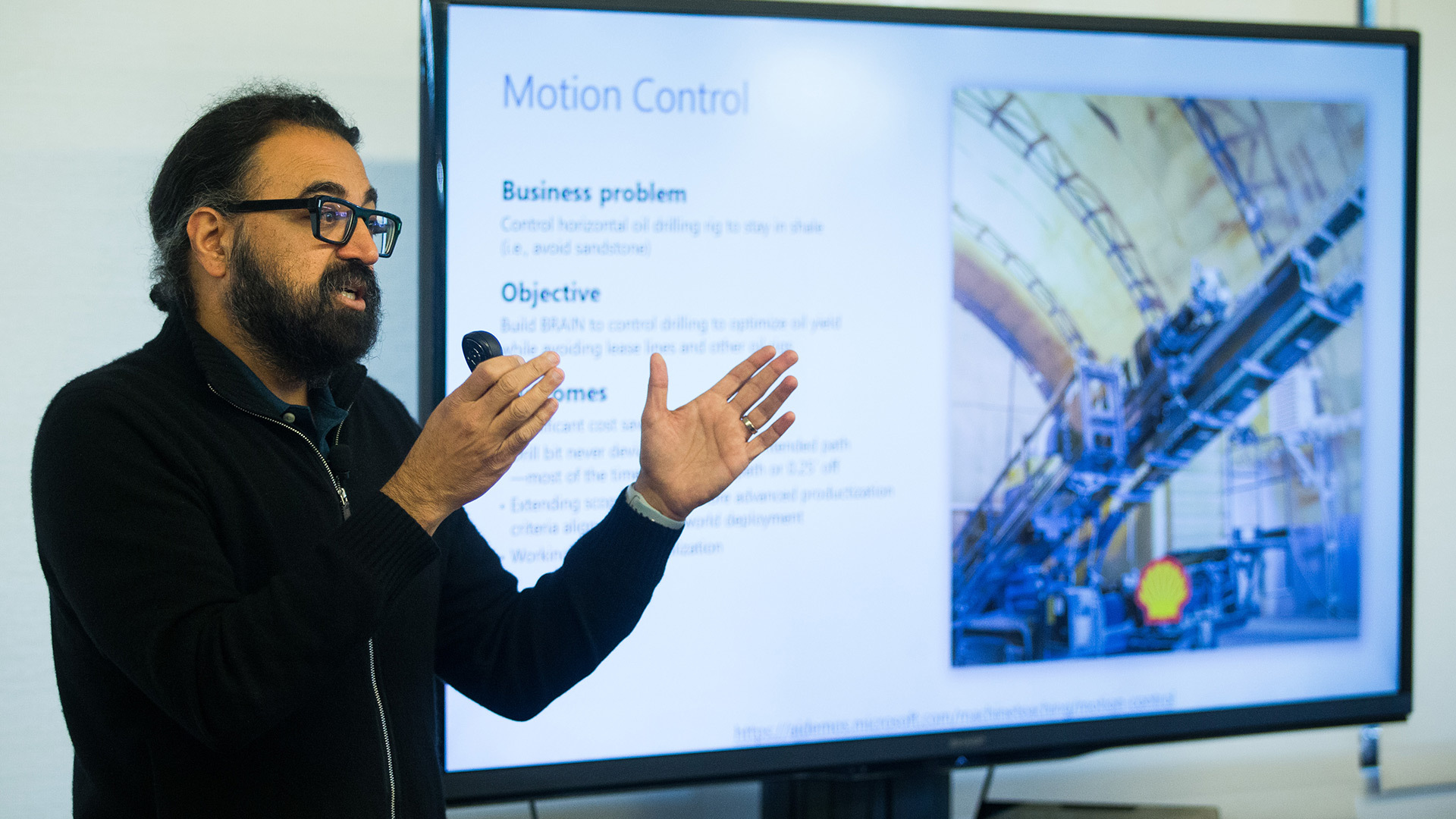
That ultimately led him to found Bonsai, which was acquired by Microsoft last year. It combines machine teaching with deep reinforcement learning and simulation to help companies develop “brains” that run autonomous systems in applications ranging from robotics and manufacturing to energy and building management. The platform uses a programming language called Inkling to help developers and even subject matter experts decompose problems and write AI programs.
Deep reinforcement learning, a branch of AI in which algorithms learn by trial and error based on a system of rewards, has successfully outperformed people in video games. But those models have struggled to master more complicated real-world industrial tasks, Hammond said.
Adding a machine teaching layer — or infusing an organization’s unique subject matter expertise directly into a deep reinforcement learning model — can dramatically reduce the time it takes to find solutions to these deeply complex real-world problems, Hammond said.
For instance, imagine a manufacturing company wants to train an AI agent to autonomously calibrate a critical piece of equipment that can be thrown out of whack as temperature or humidity fluctuates or after it’s been in use for some time. A person would use the Inkling language to create a “lesson plan” that outlines relevant information to perform the task and to monitor whether the system is performing well.
Armed with that information from its machine teaching component, the Bonsai system would select the best reinforcement learning model and create an AI “brain” to reduce expensive downtime by autonomously calibrating the equipment. It would test different actions in a simulated environment and be rewarded or penalized depending on how quickly and precisely it performs the calibration.
Telling that AI brain what’s important to focus on at the outset can short circuit a lot of fruitless and time-consuming exploration as it tries to learn in simulation what does and doesn’t work, Hammond said.
“The reason machine teaching proves critical is because if you just use reinforcement learning naively and don’t give it any information on how to solve the problem, it’s going to explore randomly and will maybe hopefully — but frequently not ever — hit on a solution that works,” Hammond said. “It makes problems truly solvable whereas without machine teaching they aren’t.”
Related machine teaching links:
- Visit: Microsoft Research Machine Teaching Group
- Visit: Azure Language Understanding
- Read: Microsoft to acquire Bonsai in move to build “brains” for autonomous systems
Jennifer Langston writes about Microsoft research and innovation. Follow her on Twitter.
The post Machine teaching: How people’s expertise makes AI even more powerful appeared first on The AI Blog.
Microsoft leading girls towards AI
The post Microsoft leading girls towards AI appeared first on The AI Blog.